Introducing ubiquitous computing through videos

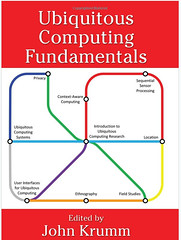
Students and technical professionals can quickly gain an introduction to a variety of topics in pervasive/ubiquitous computing by watching online research videos. Of course, watching videos is no replacement for reading papers (yes, starting with Weiser’s) and using an excellent textbook, such as John Krumm‘s ubicomp fundamentals. Yet, videos can quickly convey many basic ubicomp ideas in an engaging manner.

Good places to look for videos are the usual suspects: Vimeo and YouTube. Additionally, many conferences now allow uploading videos as support material for papers, and conferences such as Ubicomp and Pervasive have tracks dedicated to video submissions (see e.g. Ubicomp 2012 and Pervasive 2012).

In my 2010 intro ubicomp course I used the following videos, grouped by general topic area:

Field studies:

  1. Project54 police radio study (YouTube)
  2. Tagging photographs using voice commands (YouTube)
  3. Linking with Flickr using voice commands (YouTube)
  4. AmbiKraf (YouTube)
  5. HealthLine: Information Access for Community Health Workers in Developing Regions (YouTube)
  6. LINC, An Inkable Digital Family Calendar (YouTube)
  7. Rexplorer – an urban interactive game for tourists (YouTube)

Privacy:

  1. Sharing data on public displays: academic transcript example (YouTube)
  2. Sharing data on public displays: family pictures example (YouTube)
  3. Sharing data on public displays: map example (YouTube)
  4. Multi-user interaction using handheld projectors (YouTube)
  5. Empathy mirror (YouTube – removed) (Website)
  6. How to hack RFID-enabled credit cards for $8 (YouTube)
  7. IBM RFID commercial (YouTube)
  8. Minority report – mall scene (YouTube)
  9. RFID parking access control long range system (YouTube)
  10. Sensecam: Cambridge day out (YouTube)
  11. The Ambient Clock (YouTube)
  12. The RFID Ecosystem Project (YouTube)

User interfaces:

  1. Natural User Interfaces: Utilizing physiological data (YouTube)
  2. Skinput: Appropriating the body as an input surface (YouTube)
  3. 10GUI: 10 finger multitouch user interface (YouTube)
  4. BumpTop 3D multi-touch desktop (YouTube)
  5. Ford SYNC and Pandora (YouTube)
  6. Google Maps navigation (Beta) (YouTube)
  7. Microsoft Courier in action (YouTube)
  8. Microsoft Research: Project Gustav (YouTube)
  9. Microsoft future vision: productivity (YouTube)
  10. Microsoft’s vision of the future (Parody) (YouTube)
  11. Microsoft future vision: Windows home concept (YouTube)
  12. Microsoft future vision: manufacturing (YouTube)
  13. Microsoft future vision: personal health (YouTube)
  14. Microsoft future vision: banking (YouTube)
  15. Microsoft future vision: retail (YouTube)
  16. NanoTouch (YouTube)
  17. Reboard (YouTube)
  18. The invisible train (YouTube)
  19. Searchvox (website)

Of course this list is now 2 years old – time to update!

Summer course to introduce tools of research

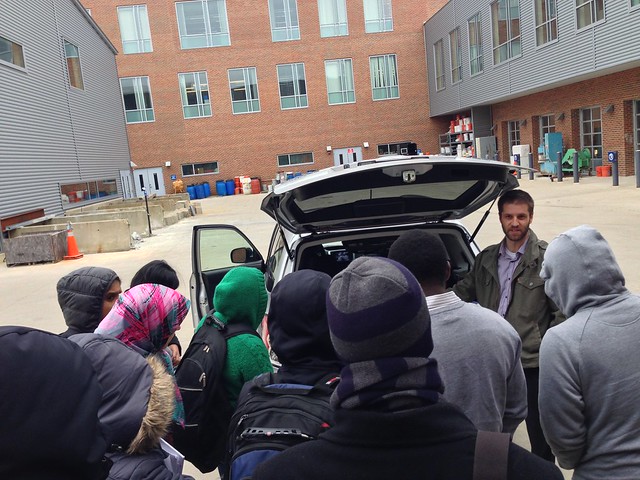
Click image for source

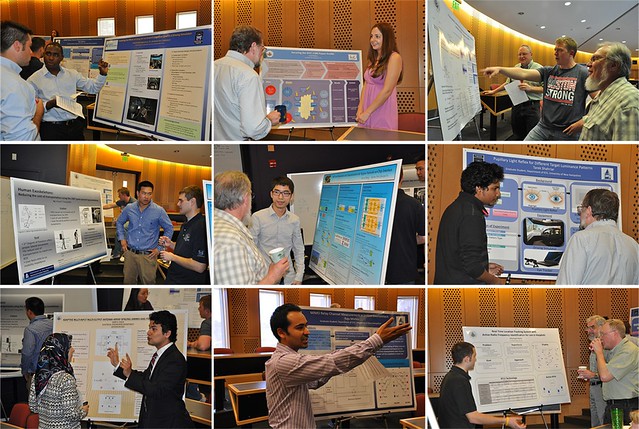
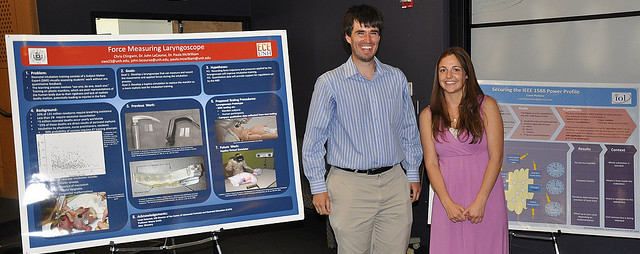
This summer I’ll be teaching ECE 900 Electrical and Computer Engineering Seminar. The seminar introduces graduate students to the general tools of research. Students gain practical experience with framing research questions, setting goals, and proposing hypotheses. We also discuss ideas on how to read, write and review research publications, and on how to give oral presentations about such documents to different types of audiences. Finally, we explore best practices for success in graduate school.

A key outcome of the seminar is a research proposal. Proposals address the steps required to complete the research requirement of students’ graduate degrees (MS or PhD).

Interested? Please take a look at the facts below and/or send me email with questions and suggestions.

Who is this course for?
While ECE 900 is a requirement for UNH ECE graduate students, the course is open to graduate students from all UNH departments. I certainly hope non-ECE students will join us this summer.

Will the course be online?
Yes. Students resident at UNH can participate in person, remote students can participate online (no in-class meetings required).

How many credits?
During the academic year ECE 900 is offered both in the fall and spring. Material covered in the spring builds on that covered in the fall. Similarly, the summer course will run in two consecutive sections, each four weeks long. Section 1 will cover material covered in ECE 900 in the fall, while section 2 will cover the spring material. Students will earn 2 credits for completing each section, for a total of 4 credits for the summer.

What are the prerequisites?
Graduate standing.

Is there online material from previous years?
Yes, e.g. fall 2010 and spring 2011.

Schedule
ECE 900, Section 1 (fall material): June 11-July 6, Tuesdays and Thursdays 12-2 PM
ECE 900, Section 2 (spring material): July 9 – August 3, Tuesdays and Thursdays 12-2 PM

Report on Fundamentals of Ubicomp course

During the spring 2010 semester I taught a new course entitled Ubiquitous Computing Fundamentals. The term ubiquitous computing refers to the model of computing in which computers are embedded in everyday objects and become part of everyday activities. As the name implies, this course was designed as an introduction to this exciting field of study.

In this course I used the excellent new ubicomp textbook [1] edited by John Krumm. I highly recommend this book to anyone starting out in the field of ubicomp. Specifically, I like two aspects of the book. First, the team of contributors assembled by John provides a comprehensive introduction to the myriad topics that make up the ubicomp field. The fact that ubicomp is an interdisciplinary field is exciting, but getting an overview of the field may seem like a daunting task. The textbook provides this overview. Second, paraphrasing Aaron Quigley‘s assessment of his chapter [2], the book provides “an entry point” to the world of conducting research in general, and ubicomp research in particular. The contributors discuss the tools used in various aspects of ubicomp research, from prototyping, to user studies, to data processing. The individual chapters help the reader formulate research questions and steps, and provide valuable tips on how to report on results. 

The course covered three topic areas:

  • History of ubicomp. The semester started with Weiser’s seminal paper [3] and with a textbook chapter introducing ubicomp by Roy Want, one of Weiser’s collaborators at Xerox PARC.
  • Building ubicomp systems. We discussed various aspects of creating ubicomp systems, from writing always-on software, to privacy, to conducting laboratory and field experiments.
  • The user experience. As this is my research focus, we spent a considerable amount of time discussion user interactions with ubicomp systems, from speech interactions, to multi-touch tables, to tangible user interfaces.

I found that an excellent way to discuss ubicomp topics is to take advantage of research videos posted online. We viewed many such videos and this led to productive discussions. We also benefited from excellent talks by Marko PopovicBret Harsham and Albrecht Schmidt.

I felt that the course was a success. Students indicated that they liked the course and thought that it was useful. The course also allowed students to express themselves creatively through the course project. The results were impressive and I’ll end this post with an example. The video below is the work of UNH ECE seniors Amy Schwarzenberg and Kyle Maroney (both graduated in May). Amy and Kyle explored user interactions with a Microsoft Surface multi-touch table.

References

[1] John Krumm (editor), “Ubiquitous Computing Fundamentals,” CRC Press, 2010

[2] Aaron Quigley, “From GUI to UUI: Interfaces for Ubiquitous Computing,” in John Krumm (editor), “Ubiquitous Computing Fundamentals,” CRC Press, 2010

[3] Mark Weiser, “The Computer for the 21st century,” Scientific American, pp. 94-10, September 1991